> For the complete documentation index, see [llms.txt](https://docs.talisman.xyz/talisman/llms.txt). Markdown versions of documentation pages are available by appending `.md` to page URLs; this page is available as [Markdown](https://docs.talisman.xyz/talisman/introduction/talisman-wallet.md).
# Talisman Wallet
An extension for holding and receiving your DotSama assets.
The Talisman Wallet is a non-custodial wallet, meaning you always retain full control of your assets. It allows you to securely store, send, and receive tokens and NFTs while connecting to dApps across multiple ecosystems, including Ethereum, Solana, Bittensor, BNB Chain, Polkadot, and more.
With native EVM support, Talisman works seamlessly with Ethereum-based applications and can be used just like MetaMask. It brings everything together in one place, so you no longer need to manage multiple wallets for different chains.
Talisman is designed to make the multichain experience simple, intuitive, and secure, whether you’re staking, swapping, or exploring Defi. The wallet is[ available for download](http://talisman.xyz/download/) in the extension store on Chromium browsers (Brave, Chrome, Edge etc.) and Firefox.
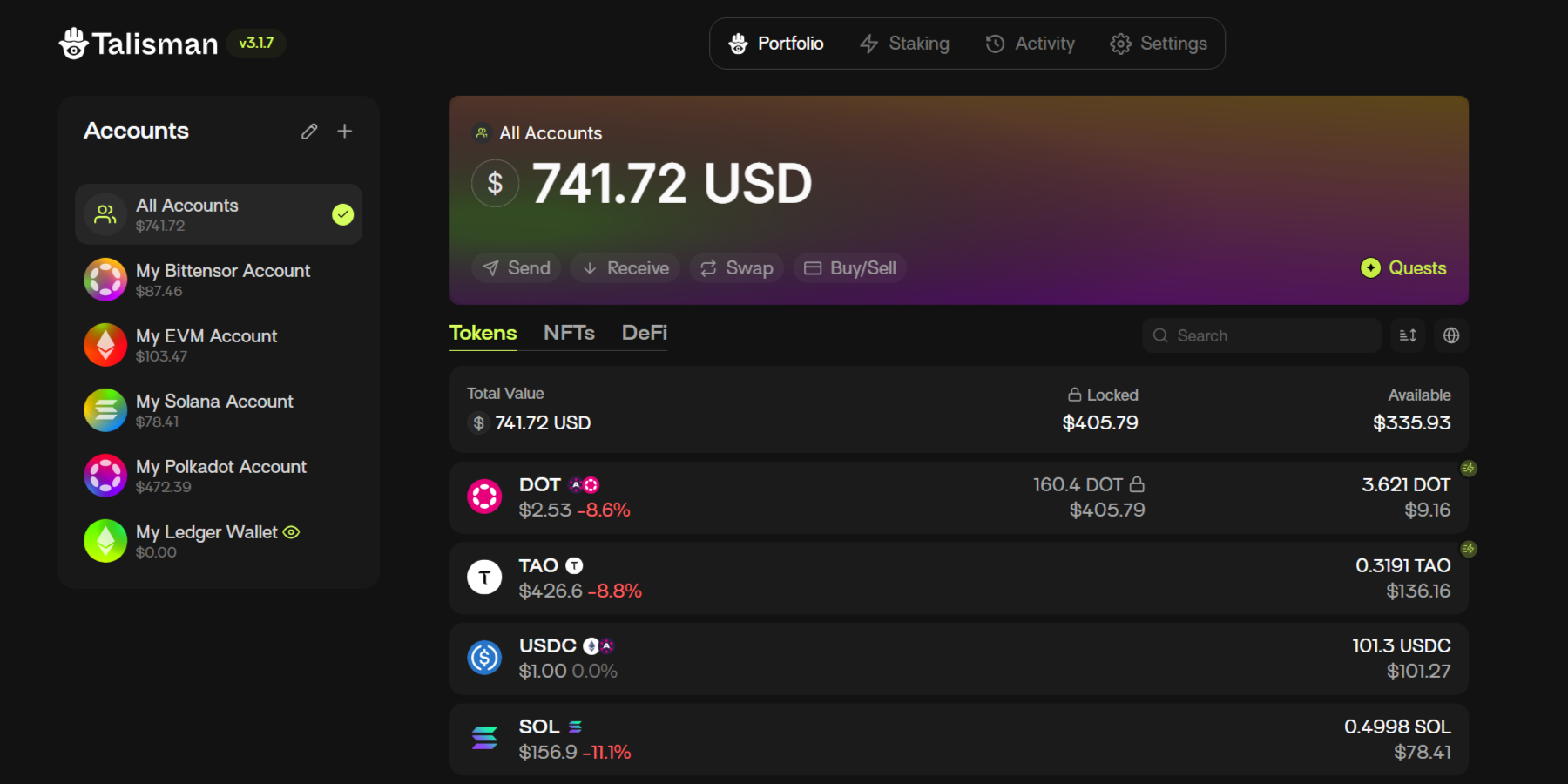
Overview, all accounts
The Talisman Wallet has a range of features including:
* Adding/importing new accounts
* Sending/receiving funds
* View all your DeFi positions across 30 chains
* Buy/sell crypto via fiat on/off-ramp
* An expanded view (full screen) and popup view for a persistent window
* View all your multi-chain NFTs
* Lock function: protect your account when you are not actively using it!
Showcase of all the items available in the popup view "More" menu.
\
In addition to the popup view of the browser extension, Talisman offers a full-view mode accessible via the "Full-screen View" function. Now you can easily jump between accounts and explore your assets from the comfort of a full screen.
{% content-ref url="/pages/lQjEgLx1cnXesm4TXecs" %}
[Extension Feature Highlights](/talisman/introduction/talisman-wallet/extension-feature-highlights.md)
{% endcontent-ref %}
{% content-ref url="/pages/6Gkx1EYh7Cx6PwU5nRNi" %}
[Extension Views](/talisman/introduction/talisman-wallet/extension-views.md)
{% endcontent-ref %}
v 3.1.7