# Change Validator in Wallet

When staking TAO on root or subnets, you may want to switch to a different validator. Talisman allows you to update your validator selection directly from the wallet.&#x20;

Follow the steps below to make the change.

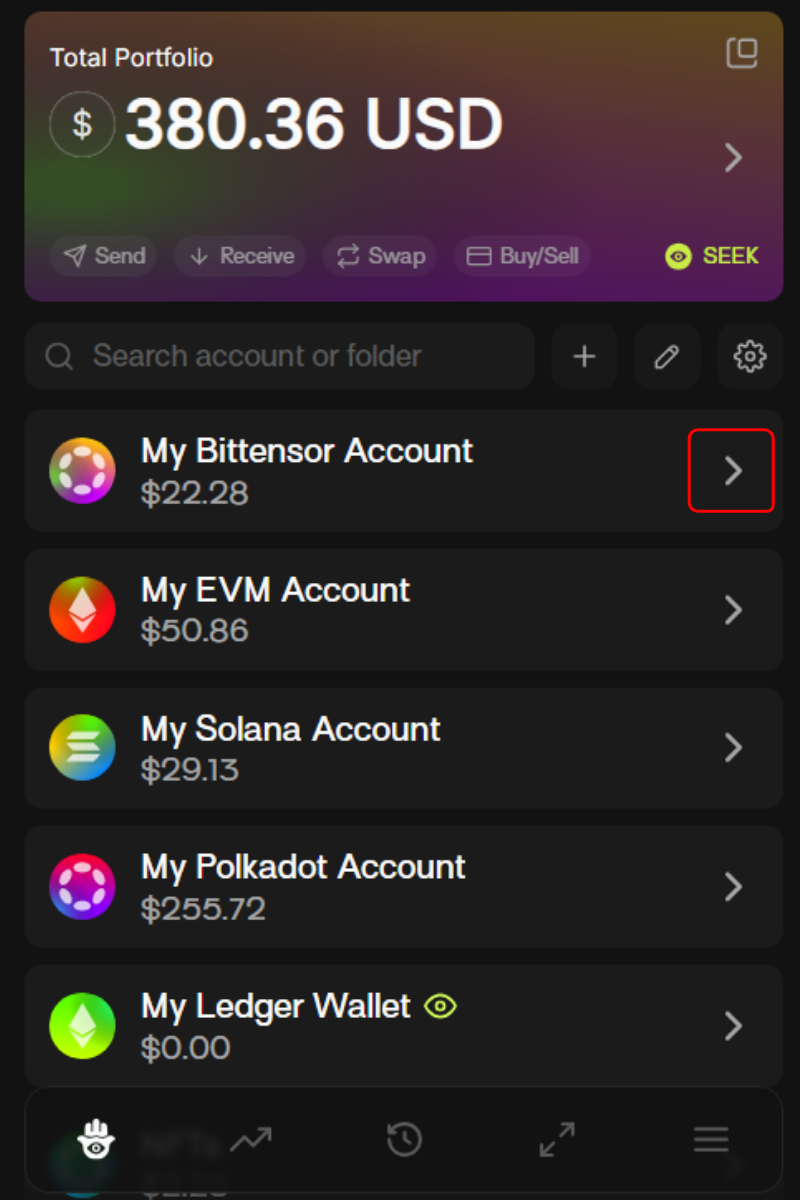
1. From the wallet, choose the relevant Bittensor account.

<div align="left"><figure><img src="https://2012041694-files.gitbook.io/~/files/v0/b/gitbook-x-prod.appspot.com/o/spaces%2F2G9cEppDnwuwiGautnGv%2Fuploads%2F72N7uO8n7od3Hv10MhaN%2Funknown.png?alt=media&#x26;token=e5780cd5-4c4f-419e-9007-77b7e8791a04" alt="" width="375"><figcaption></figcaption></figure></div>

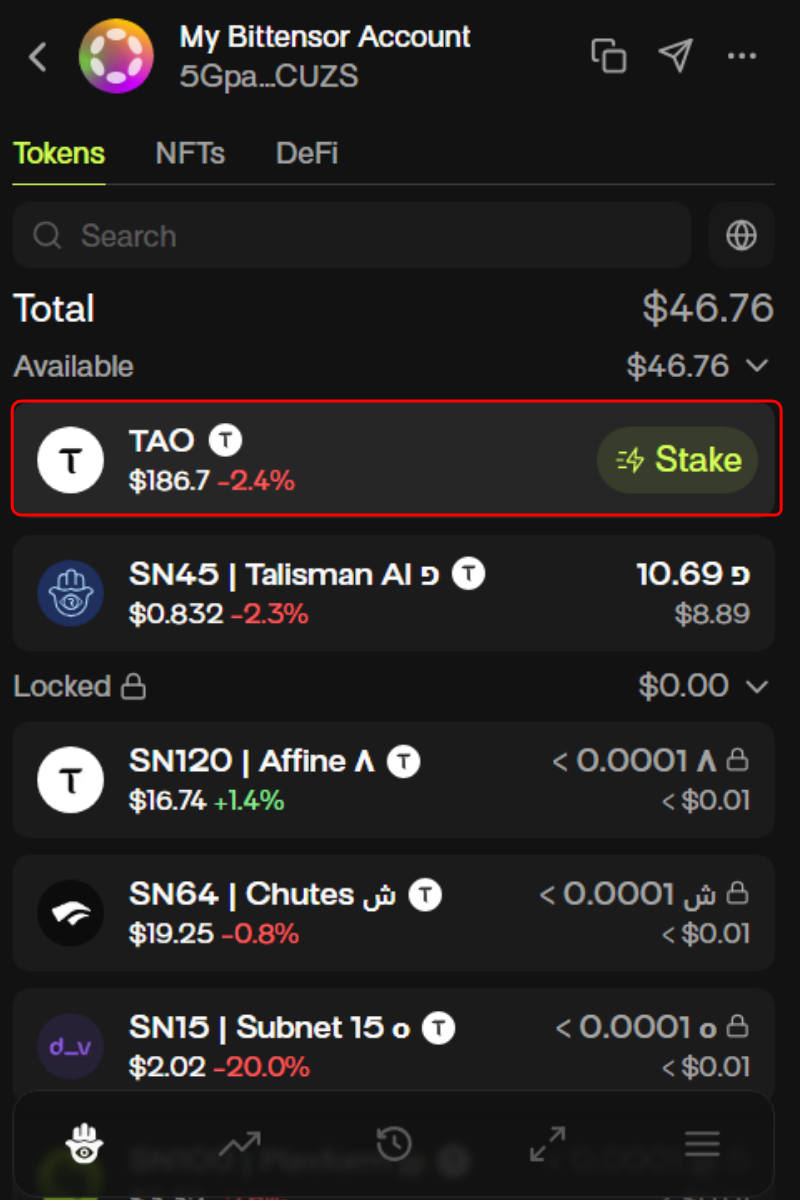
2. Select TAO from your portfolio of assets.

<div align="left"><figure><img src="https://2012041694-files.gitbook.io/~/files/v0/b/gitbook-x-prod.appspot.com/o/spaces%2F2G9cEppDnwuwiGautnGv%2Fuploads%2Ftnu84q0WsSvikyTyhU5A%2Funknown.png?alt=media&#x26;token=fe1f9996-fadc-4b26-848f-45191c350f8f" alt="" width="375"><figcaption></figcaption></figure></div>

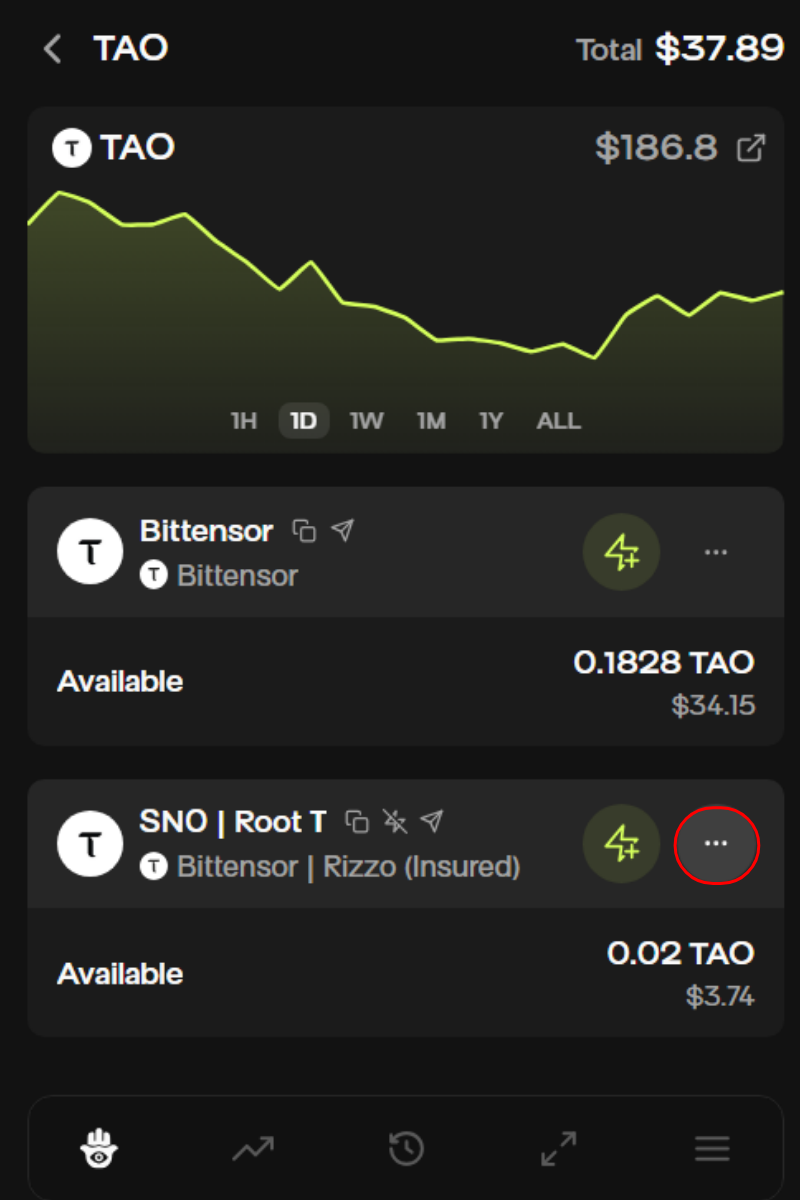
3. If you’ve staked TAO on root or on a subnet, you’ll see the corresponding position in your wallet (for example, SN0 for root or an alpha token like SN45 for a subnet). Click the three-dot menu to access “Change Validator” settings.

<div align="left"><figure><img src="https://2012041694-files.gitbook.io/~/files/v0/b/gitbook-x-prod.appspot.com/o/spaces%2F2G9cEppDnwuwiGautnGv%2Fuploads%2FNBPUdje48gsEumm8sUpR%2Funknown.png?alt=media&#x26;token=77c53968-cfe1-4dc2-b06a-237b65d6b009" alt="" width="375"><figcaption></figcaption></figure></div>

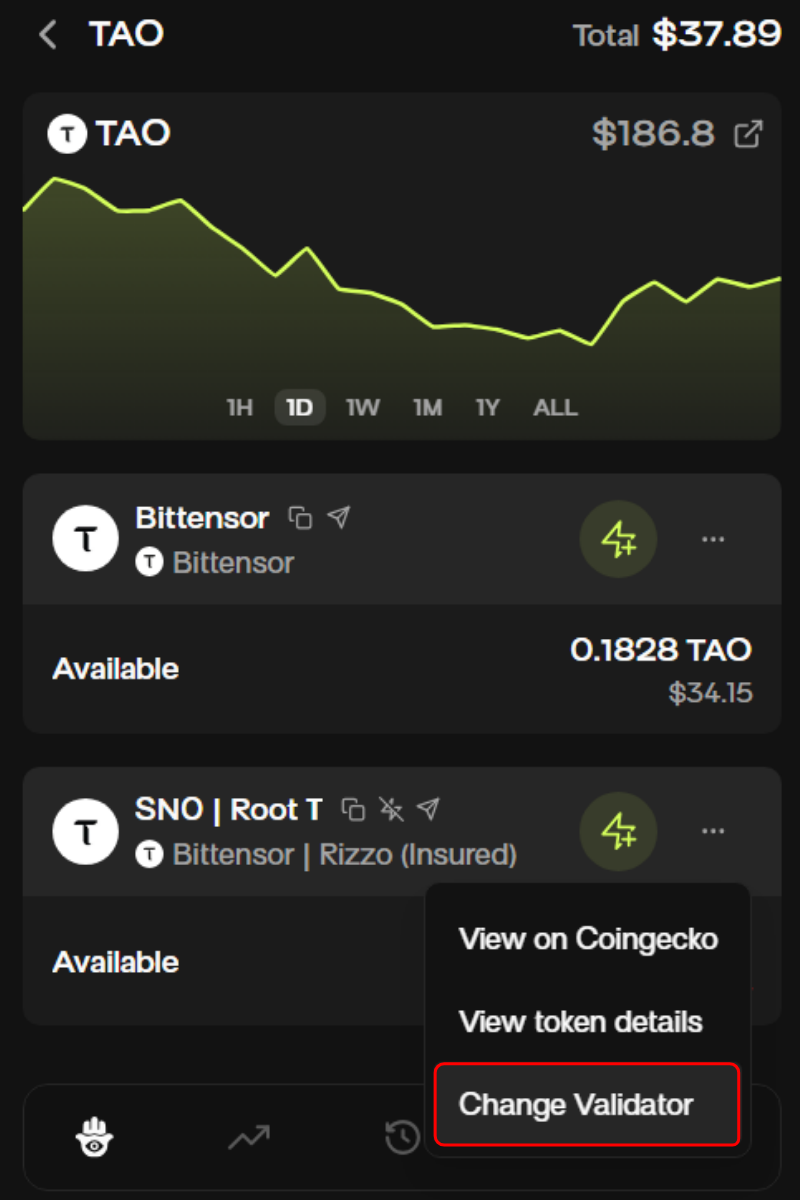
4. Click “Change Validator”.

<div align="left"><figure><img src="https://2012041694-files.gitbook.io/~/files/v0/b/gitbook-x-prod.appspot.com/o/spaces%2F2G9cEppDnwuwiGautnGv%2Fuploads%2FH8ptXUEelmONRqgrfMk4%2Funknown.png?alt=media&#x26;token=0ceadc26-fa35-44de-ad3f-eb68fb0b1530" alt="" width="375"><figcaption></figcaption></figure></div>

5. Click the pill to access the dropdown menu and select your new validator. Once you’ve chosen the validator you’d like to change to, select “Review”.<br>

{% columns %}
{% column %}
![](https://2012041694-files.gitbook.io/~/files/v0/b/gitbook-x-prod.appspot.com/o/spaces%2F2G9cEppDnwuwiGautnGv%2Fuploads%2Fz6utXy9zKxrsgMZSy1Kw%2Funknown.png?alt=media\&token=bb432a97-14a8-48d3-be44-591541f5df25)
{% endcolumn %}

{% column %}
![](https://2012041694-files.gitbook.io/~/files/v0/b/gitbook-x-prod.appspot.com/o/spaces%2F2G9cEppDnwuwiGautnGv%2Fuploads%2FSqWCRMeRWGeRgoctM9J7%2Funknown.png?alt=media\&token=4ec6d4fc-6c98-4dfb-9ad1-79775a979973)
{% endcolumn %}
{% endcolumns %}

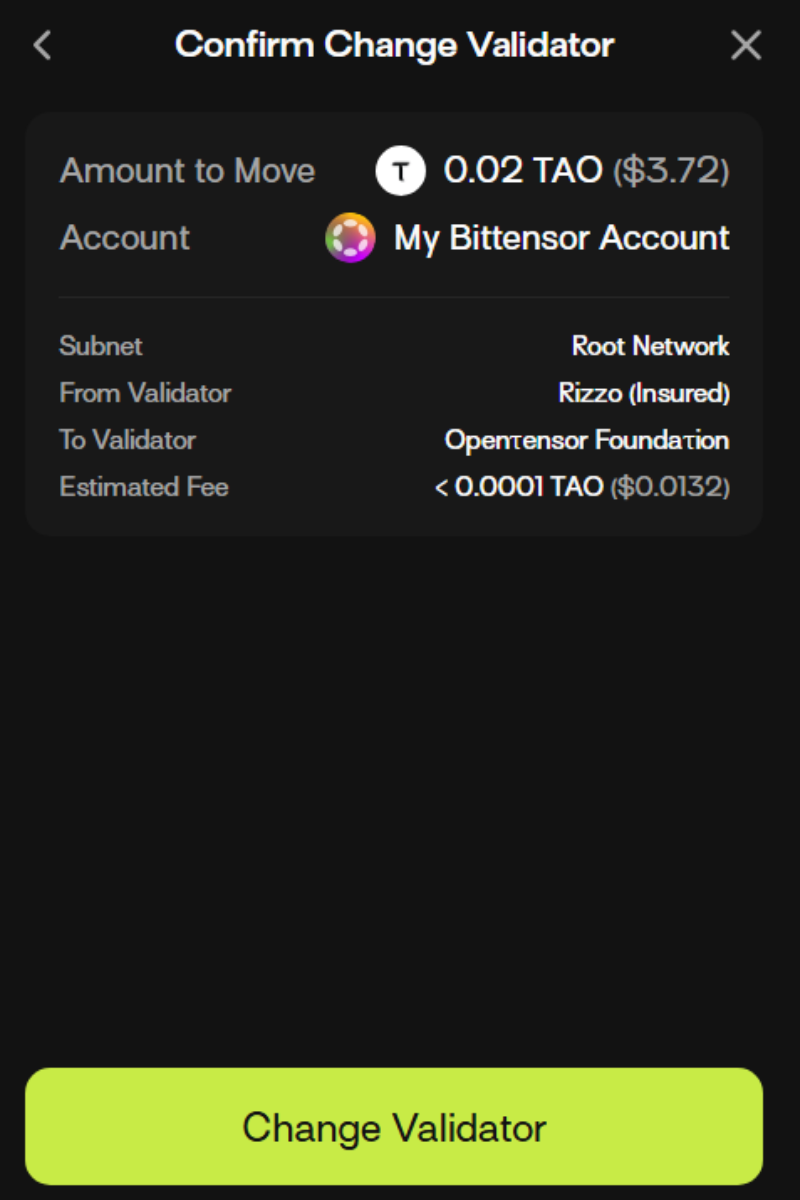
6. Review the changes and click “confirm” once you’re satisfied and the changes will be implemented.&#x20;

<div align="left"><figure><img src="https://2012041694-files.gitbook.io/~/files/v0/b/gitbook-x-prod.appspot.com/o/spaces%2F2G9cEppDnwuwiGautnGv%2Fuploads%2FZNEgp9Iop90RKrFqe0uh%2Funknown.png?alt=media&#x26;token=697fdd1e-be0c-4794-aae4-26288d9c4aaf" alt="" width="375"><figcaption></figcaption></figure></div>

\
V3.2.0