# Buy/Sell Subnet Tokens

1. Click “Trade Tao".

<div align="left"><figure><img src="https://2012041694-files.gitbook.io/~/files/v0/b/gitbook-x-prod.appspot.com/o/spaces%2F2G9cEppDnwuwiGautnGv%2Fuploads%2FDNUlV729ox23wtOAsXzB%2FTrade%20Tao%20Button.png?alt=media&#x26;token=8f5d05f3-4f2c-4e13-a4d0-b1d48ba225ba" alt="" width="375"><figcaption></figcaption></figure></div>

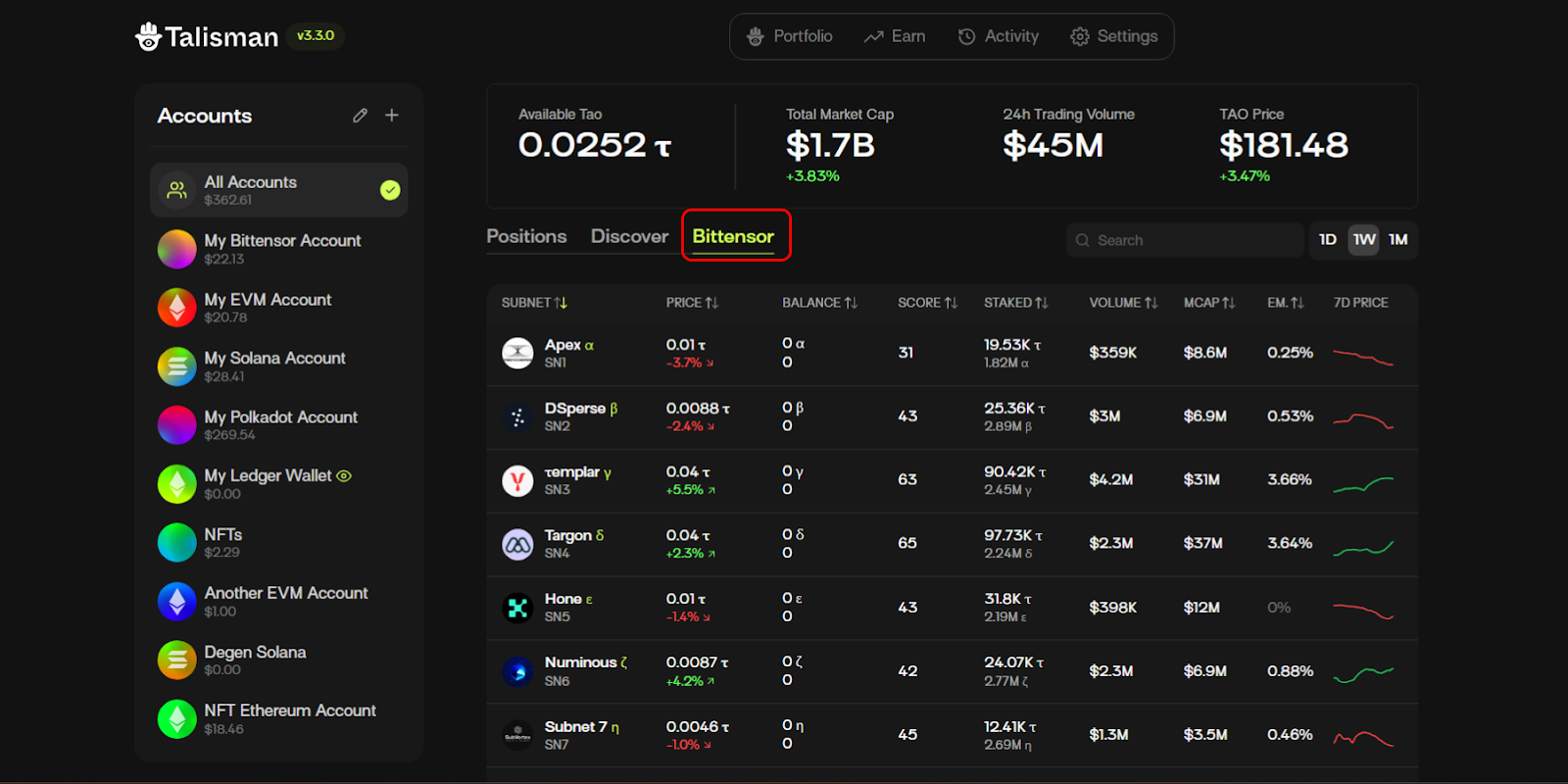
2. Click your desired subnet (or type it into the search bar).

<div align="left"><figure><img src="https://2012041694-files.gitbook.io/~/files/v0/b/gitbook-x-prod.appspot.com/o/spaces%2F2G9cEppDnwuwiGautnGv%2Fuploads%2FSy2aOq7l9GhBMVGTohjr%2Funknown.png?alt=media&#x26;token=f9cbfade-2a3e-41f6-91ae-c53550a350c8" alt=""><figcaption></figcaption></figure></div>

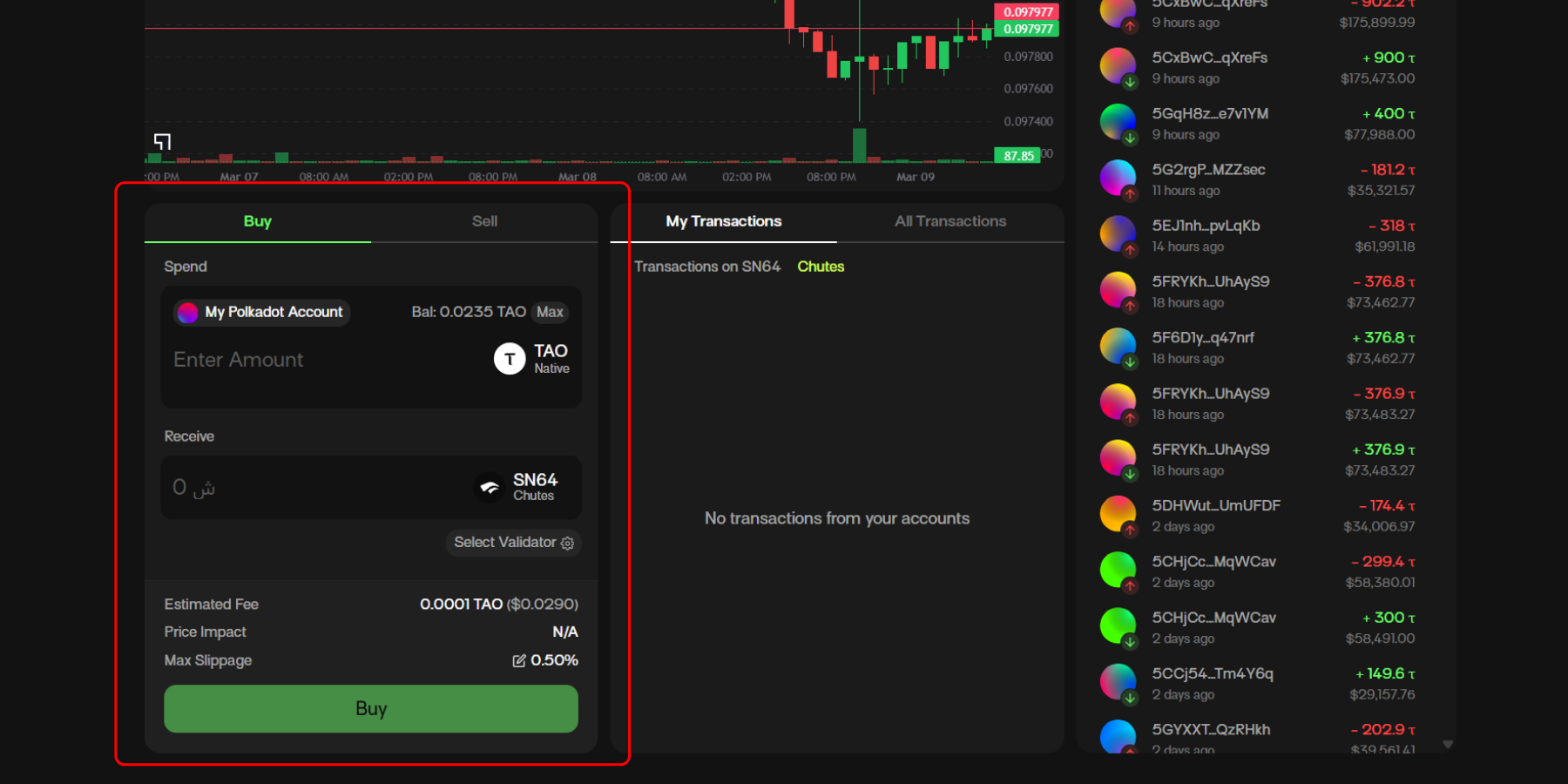
3. On the dTAO dashboard, scroll down to the “Buy/Sell Tab.

<div align="left"><figure><img src="https://2012041694-files.gitbook.io/~/files/v0/b/gitbook-x-prod.appspot.com/o/spaces%2F2G9cEppDnwuwiGautnGv%2Fuploads%2FJLG396ykVbMPtbz2xToy%2FBuy%20Set%20Tab%20dtao%20dashboard%20bittensor.png?alt=media&#x26;token=b8c49d32-0b59-4459-ac42-62d52344fbf9" alt=""><figcaption></figcaption></figure></div>

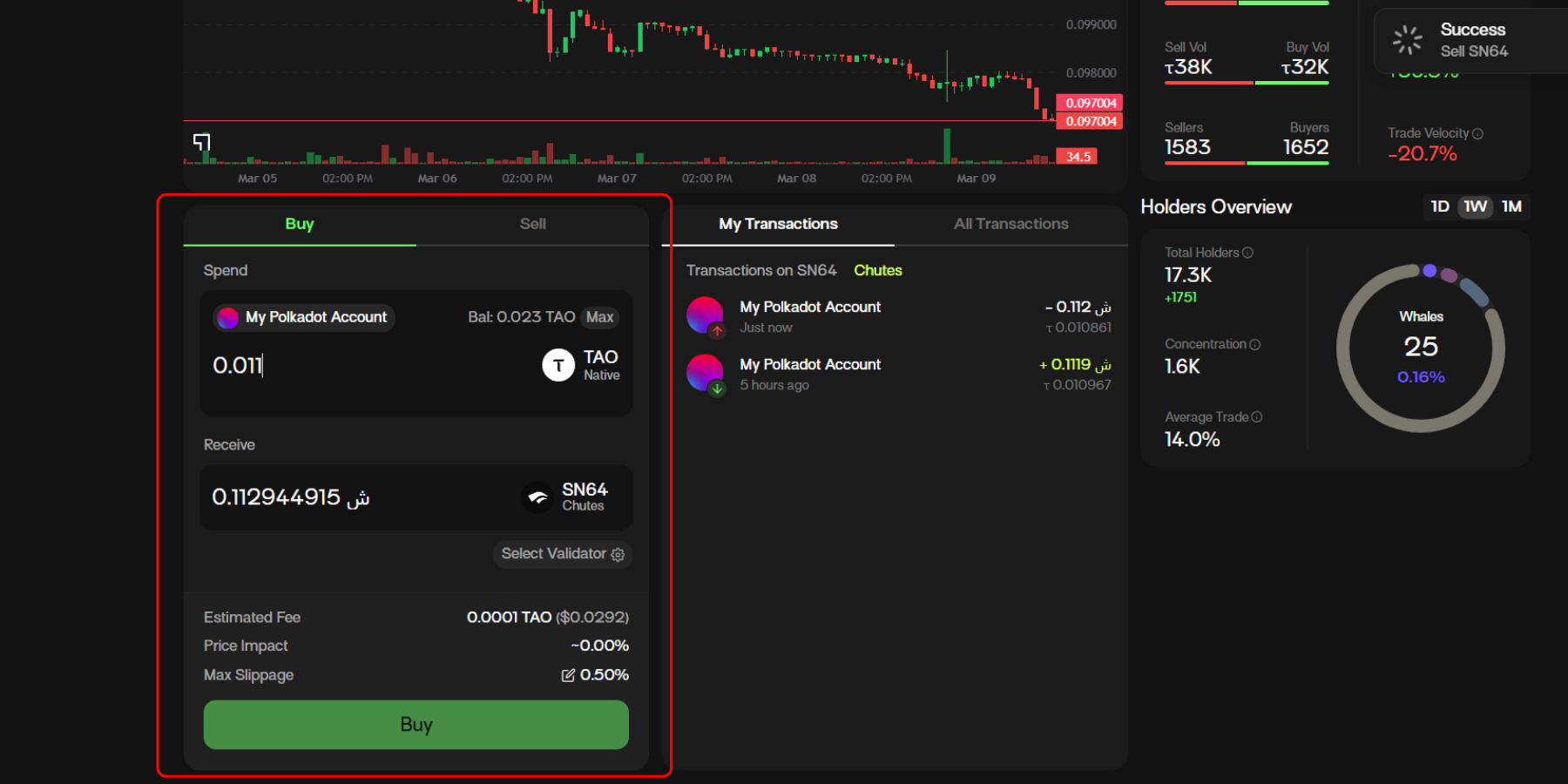
4. Input the amount of TAO you’d like to spend and the amount of subnet token that you receive will auto-populate.&#x20;

<div align="left"><figure><img src="https://2012041694-files.gitbook.io/~/files/v0/b/gitbook-x-prod.appspot.com/o/spaces%2F2G9cEppDnwuwiGautnGv%2Fuploads%2F0l7k6XOFmfxowznA7DeZ%2Funknown.png?alt=media&#x26;token=9866684b-05e1-44af-b874-69fd5755423b" alt=""><figcaption></figcaption></figure></div>

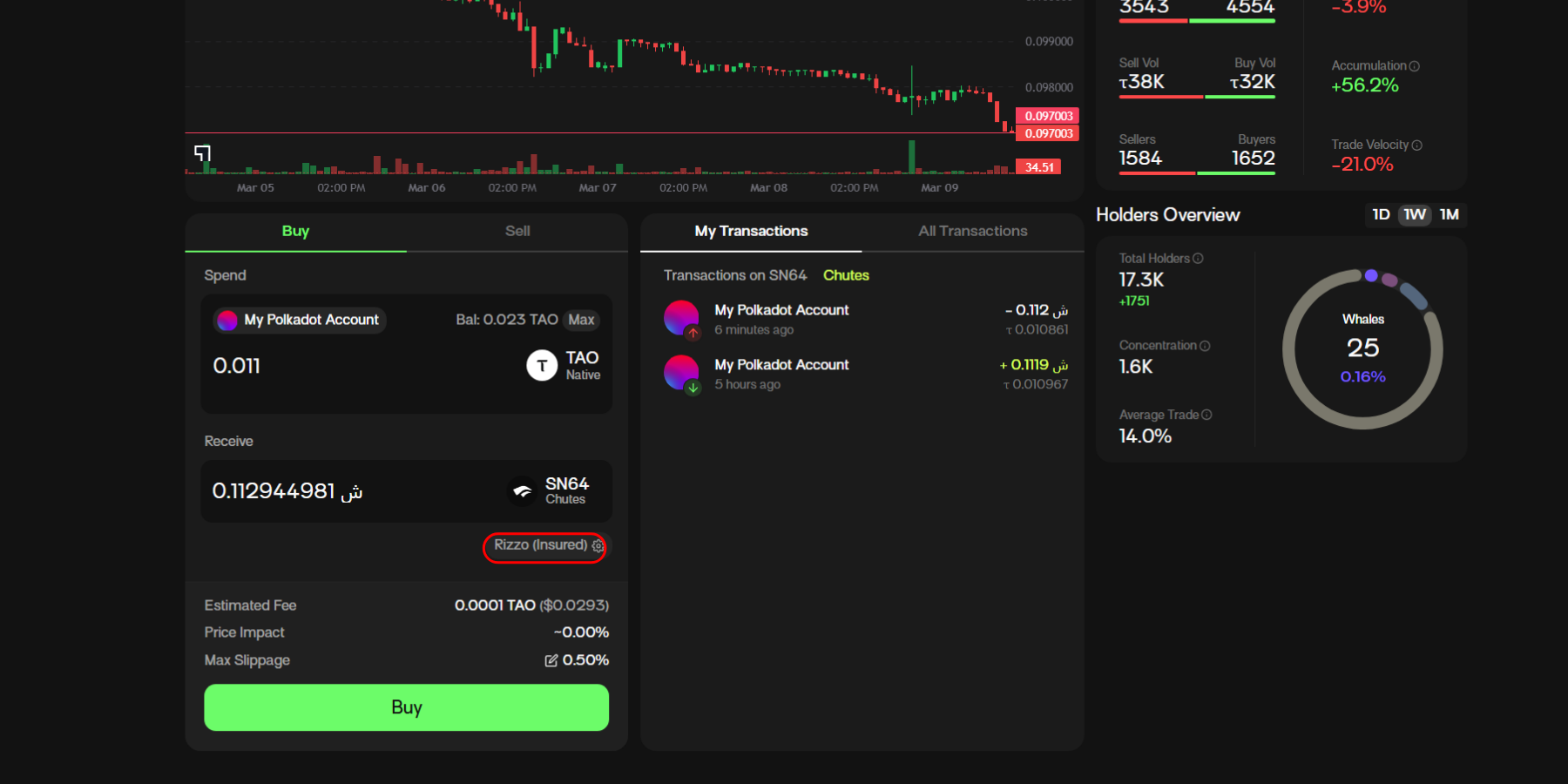
Choose your desired validator by clicking on the outlined pill. Once you’re satisfied with the details, click “Buy”.

<div align="left"><figure><img src="https://2012041694-files.gitbook.io/~/files/v0/b/gitbook-x-prod.appspot.com/o/spaces%2F2G9cEppDnwuwiGautnGv%2Fuploads%2F03c3NZ6oi9PtOwDvc4fC%2FBuy%20Sell%20subnet%20token%20input%20amount.png?alt=media&#x26;token=3fdd4f72-8137-498a-8b15-e30fdfeb6a2d" alt=""><figcaption></figcaption></figure></div>

\
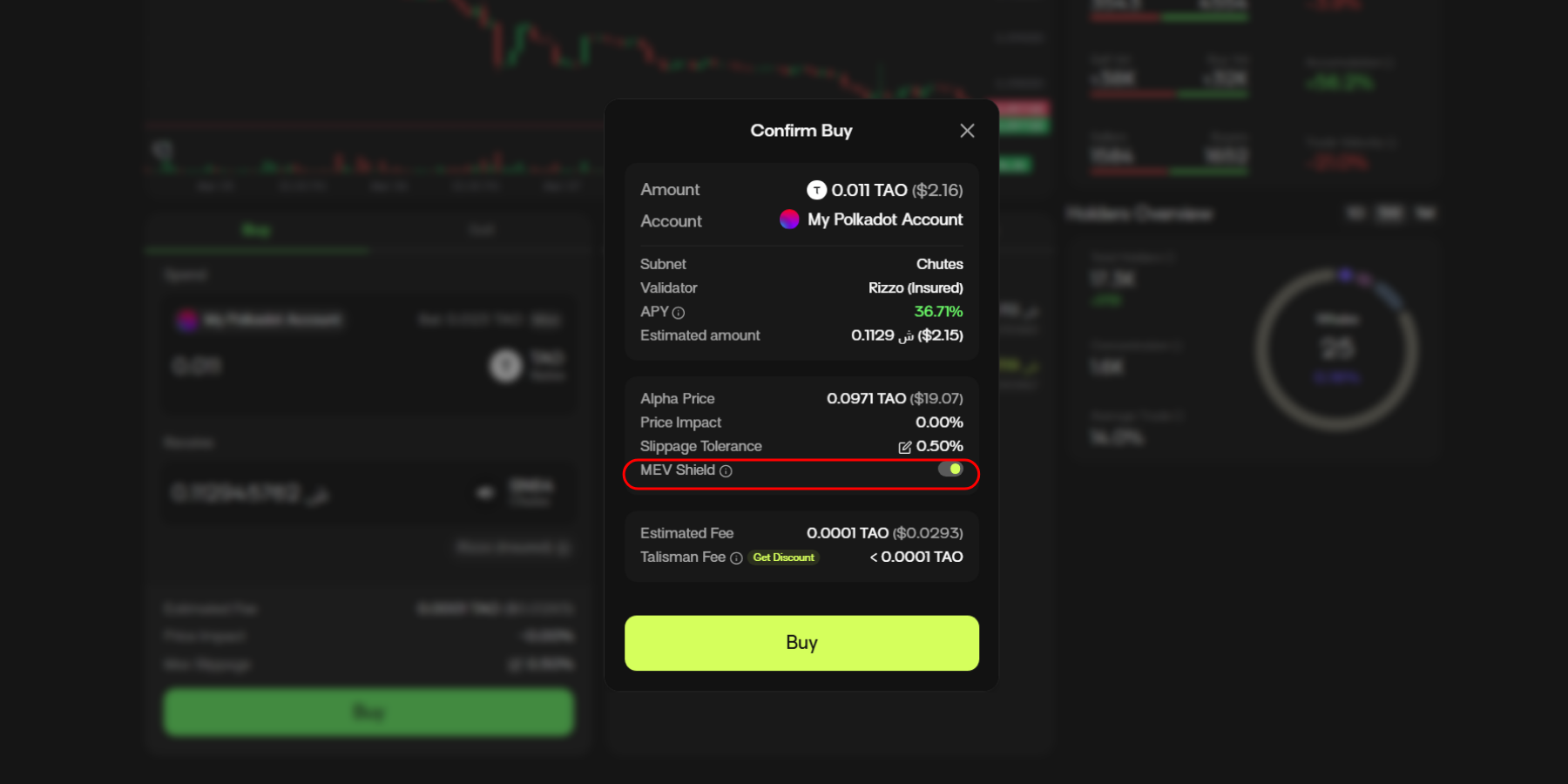
5\. Review the transaction details and ensure to turn MEV Shield on for protection against MEV bots. After you’ve checked the details, select “Buy”.

<div align="left"><figure><img src="https://2012041694-files.gitbook.io/~/files/v0/b/gitbook-x-prod.appspot.com/o/spaces%2F2G9cEppDnwuwiGautnGv%2Fuploads%2FnFJO5jV3dsZUhV8b3m2M%2Funknown.png?alt=media&#x26;token=84f4126b-58ec-492d-a79e-825eabd5be46" alt=""><figcaption></figcaption></figure></div>

v3.3.0