> For the complete documentation index, see [llms.txt](https://docs.talisman.xyz/talisman/llms.txt). Markdown versions of documentation pages are available by appending `.md` to page URLs; this page is available as [Markdown](https://docs.talisman.xyz/talisman/bittensor-features/dtao-dashboard.md).
# dTAO Dashboard
An dashboard for viewing and managing your subnet activity on Bittensor.
The dTAO Dashboard gives you real-time insights into Bittensor subnets - price trends, social sentiment, whale activity, and trade flows all in one place.
#### Access the dTAO Dashboard
1. From your Talisman popup, click “Trade Tao".
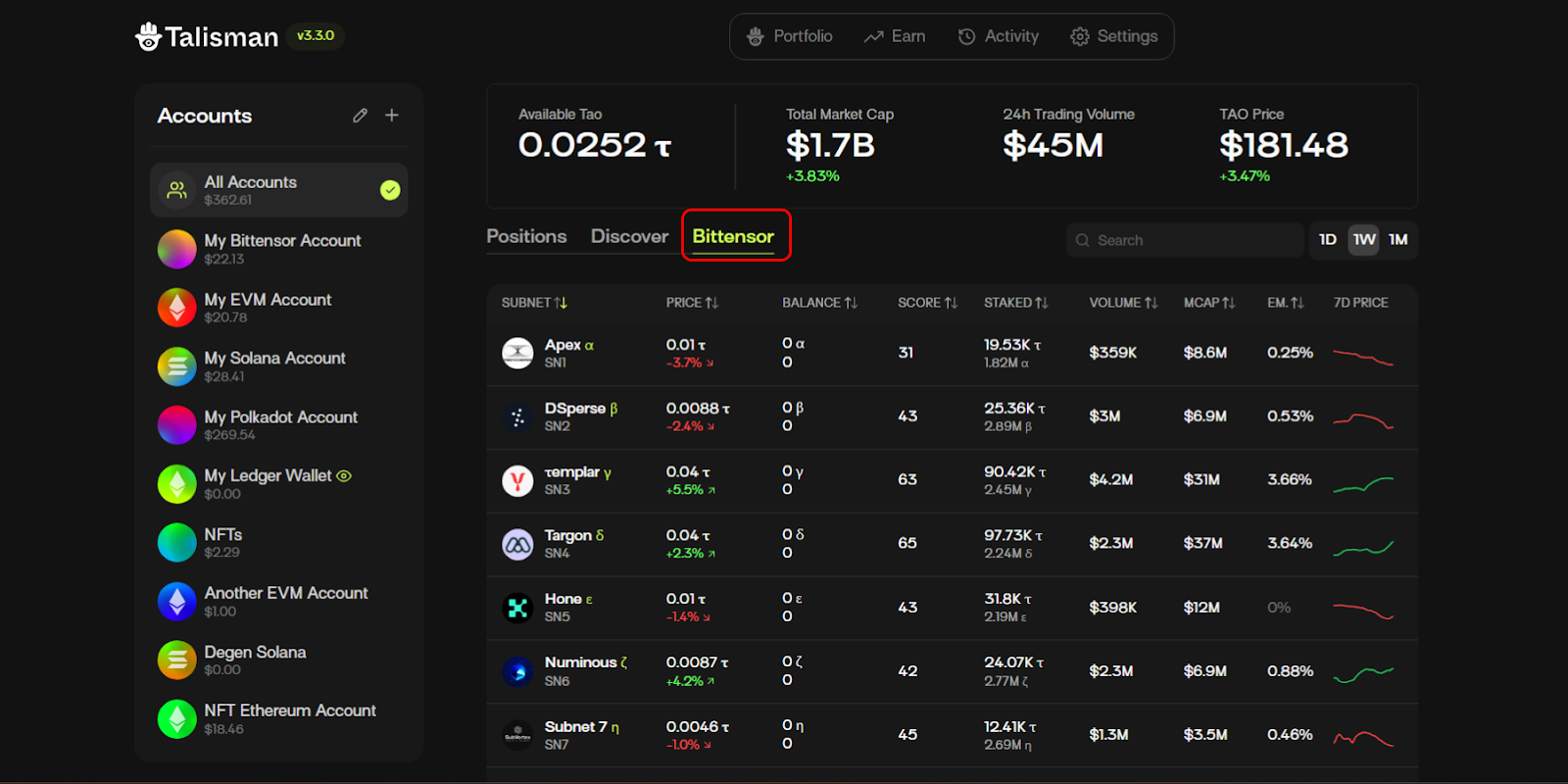
2. You'll be taken to the Bittensor Tab. This is the subnet screener, you'll see an overview of all Bittensor subnets with key metrics across Bittensor subnets.
You can sort by the combined SN45 sentiment score, or other metrics like price increase or volume.
Click any subnet to view its detailed analytics dashboard . For this example, we'll use SN45 (Talisman AI).
You can easily change the subnet here:
{% content-ref url="/pages/7nvdLWgpHH7JOxMjEPtz" %}
[Dashboard Feature Highlights](/talisman/bittensor-features/dtao-dashboard/dashboard-feature-highlights.md)
{% endcontent-ref %}
{% content-ref url="/pages/zpEY2PXgx54vsm1K5pCC" %}
[Buy/Sell Subnet Tokens](/talisman/bittensor-features/dtao-dashboard/buy-sell-subnet-tokens.md)
{% endcontent-ref %}