> For the complete documentation index, see [llms.txt](https://docs.talisman.xyz/talisman/llms.txt). Markdown versions of documentation pages are available by appending `.md` to page URLs; this page is available as [Markdown](https://docs.talisman.xyz/talisman/bittensor-features/add-a-bittensor-wallet/import-bittensor-account-to-talisman.md).
# Import Bittensor Account to Talisman
Importing your accounts from other Bittensor wallets is quick and easy.
#### Export your Bittensor Account
1. Log into your Bittensor wallet, go to Settings, and choose ‘Export Account’. From here, can download your account JSON file.
#### Import your Bittensor Account into Talisman
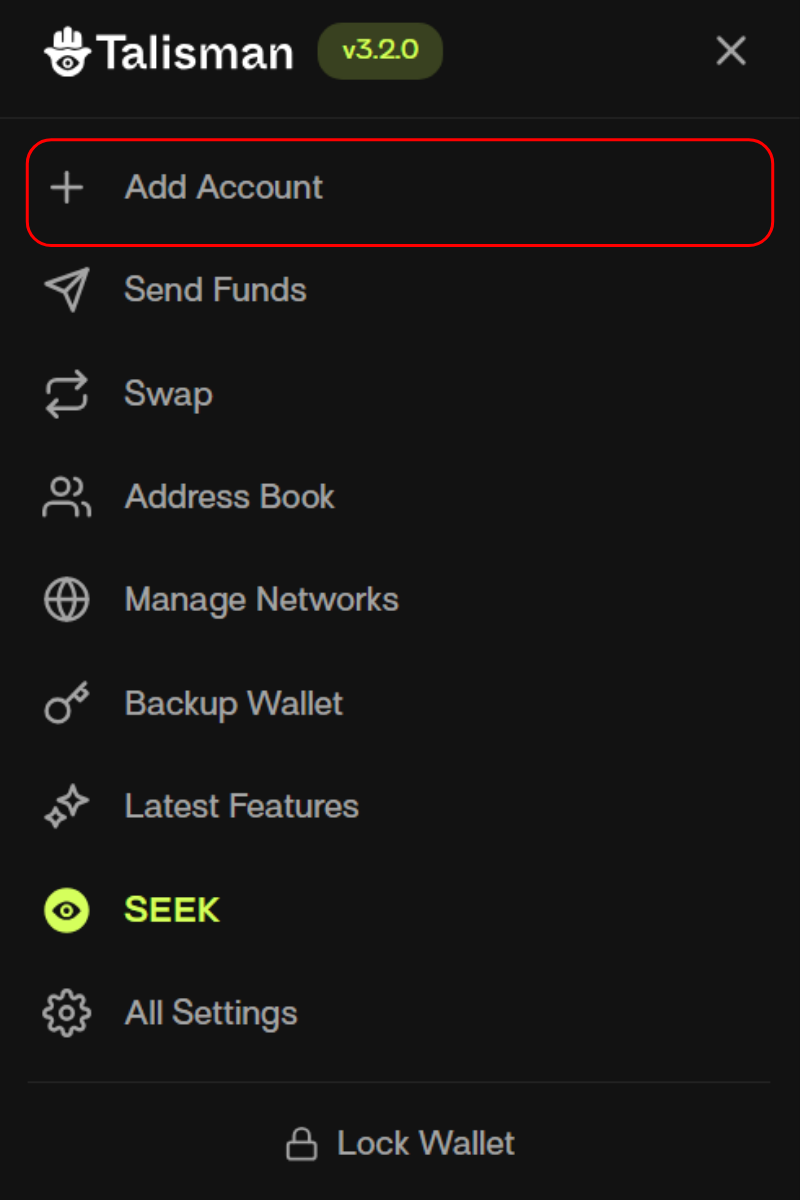
1. From your Talisman popup, click "More" menu.
2. Click "Add Account".
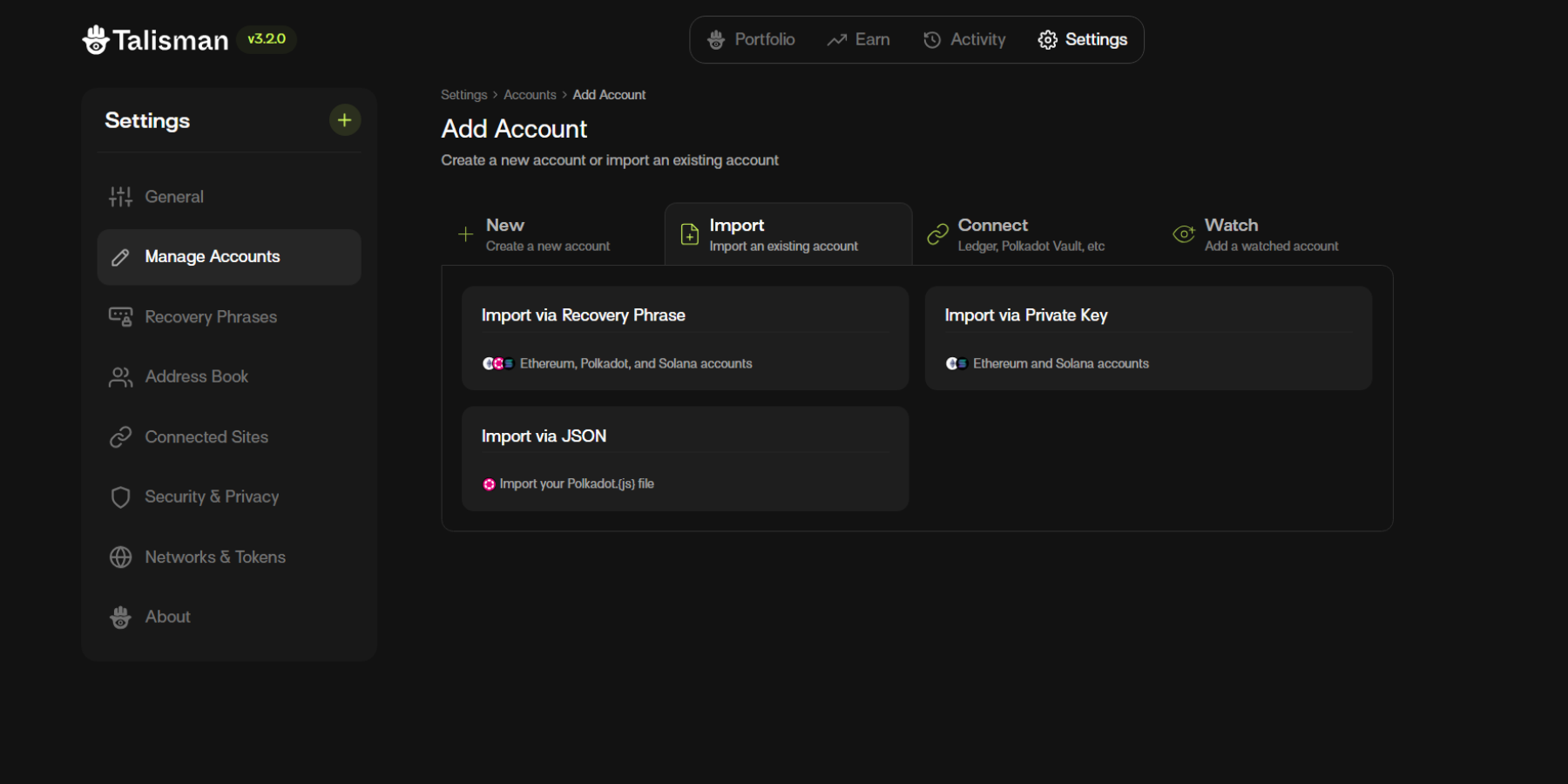
3. Click "Import"
4. There are three ways to import your account:
* Import via Recovery Phrase
* Import via JSON
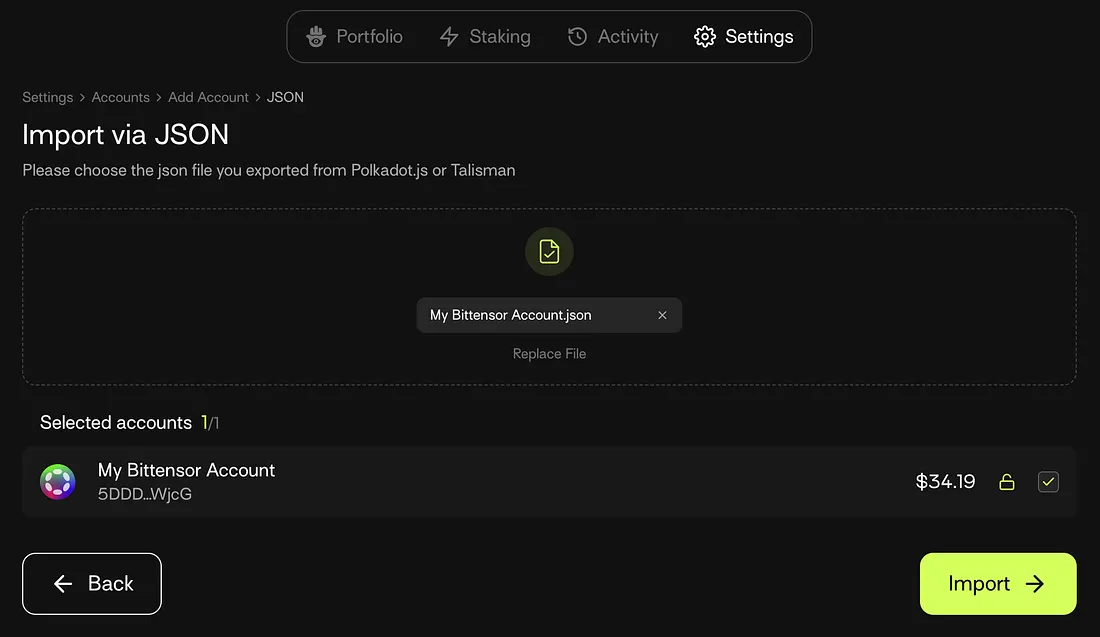
In this example, we'll use the "Import via JSON option". Choose ‘Import via JSON’ to import your Bittensor account. Enter your Bittensor wallet password and choose ‘Import’.
Note: You can migrate any number of your Bittensor accounts to Talisman.
V 3.1.20